
Systems / Infrastructure
Cloud platform
Managing cloud storage from the browser
I built the complete S3 module: file operations, storage settings, large uploads and usage monitoring, all available through the web panel.
S3 · cloud infrastructure
- My work
- Built the S3 interface and contributed to the frontend migration with the team.
- Delivery time
- S3 interface: one month. Five developers carried out the migration over six months.
01
Files in the browser, without a separate client
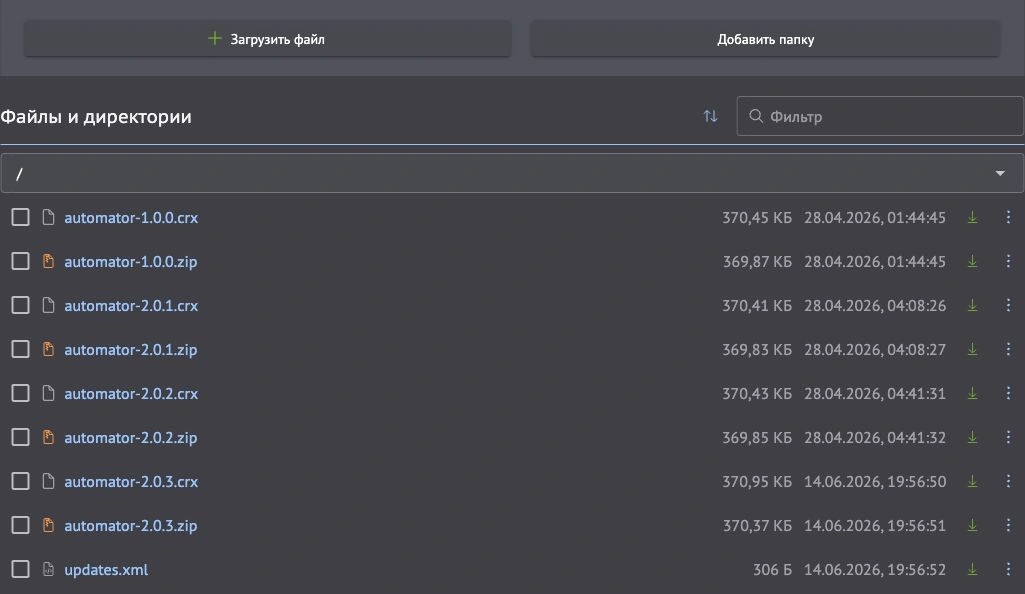
Uploading or downloading an S3 file no longer required installing and configuring a separate application. I built a file manager directly into the cloud control panel.
Users can upload files, create folders and navigate between them. Each file shows its size and modification date, with a filter to find files and a download action beside each entry.
02
Large uploads do not have to start over
Uploads run in the background without blocking the interface. Users can keep working with the storage while data is being sent.
I implemented uploads in 5 MB parts. If one part fails, only that part is retried; data already sent does not need to be uploaded again. This is particularly useful for large files on unreliable connections.
- Part 1 · 5 MB Uploaded
- Part 2 · 5 MB Failed → retry this part
- Part 3 · 5 MB Uploaded
Uploaded parts are retained. The interface stays responsive.
03
Storage and access settings
Alongside the file manager, bucket creation, configuration and deletion were implemented. Buckets are separate file stores managed through the web panel.
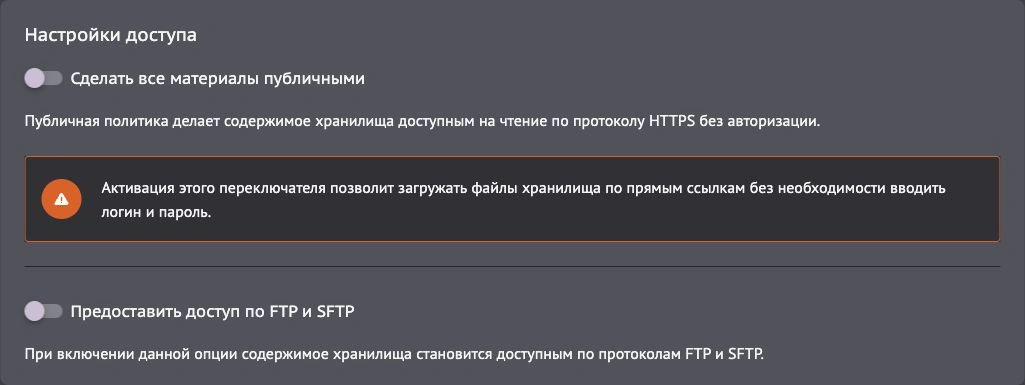
Access settings are separate from file operations. The current interface includes public read access by URL and FTP/SFTP access. Explanations beside the switches describe how each setting affects the stored content.
04
Storage usage at a glance
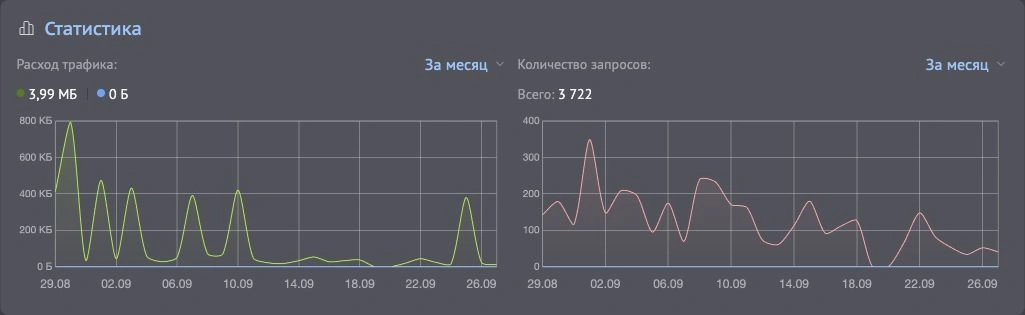
I built the monitoring interface to make storage usage visible. The dashboard shows traffic and request counts for a selected period.
The charts reveal when requests increased and how data transfer changed, without requiring a separate statistics tool.
05
Modernising the stack and hiring
In parallel, the team migrated the platform from CoffeeScript and Marionette to Vue 3, then Nuxt and Tailwind. I worked on the gradual module migration alongside four other developers. The migration took six months.
The legacy stack had made hiring difficult: new developers had to learn it before contributing. After the migration, the team could hire people with skills already relevant to the project. I built the S3 module independently in one month.
06