
Products / AI
VitaSphere
Your health records in one app
Test results accumulate on paper, in email and across different clinic portals. Before an appointment, people have to piece their history together: find a report, check its date and compare measurements across separate documents.
Health data · AI
- My work
- I built the design system, cross-platform app, backend and AI document-processing integration, with manual review and queued updates when connectivity returns.
01
Health records and measurements in one app
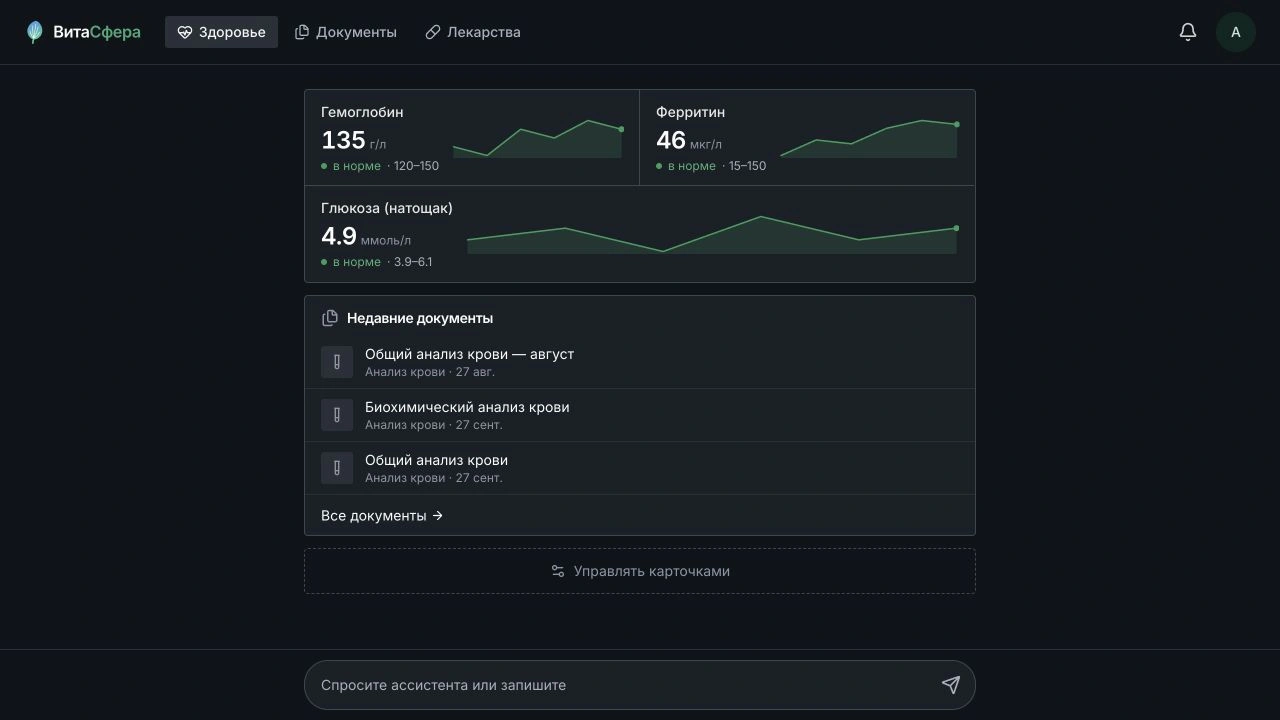
I am building VitaSphere to keep that history in one app. It connects original documents, health measurements and chat-based actions, from adding a lab report to correcting an individual value.
Demonstration data
02
From a lab report to a measurement history
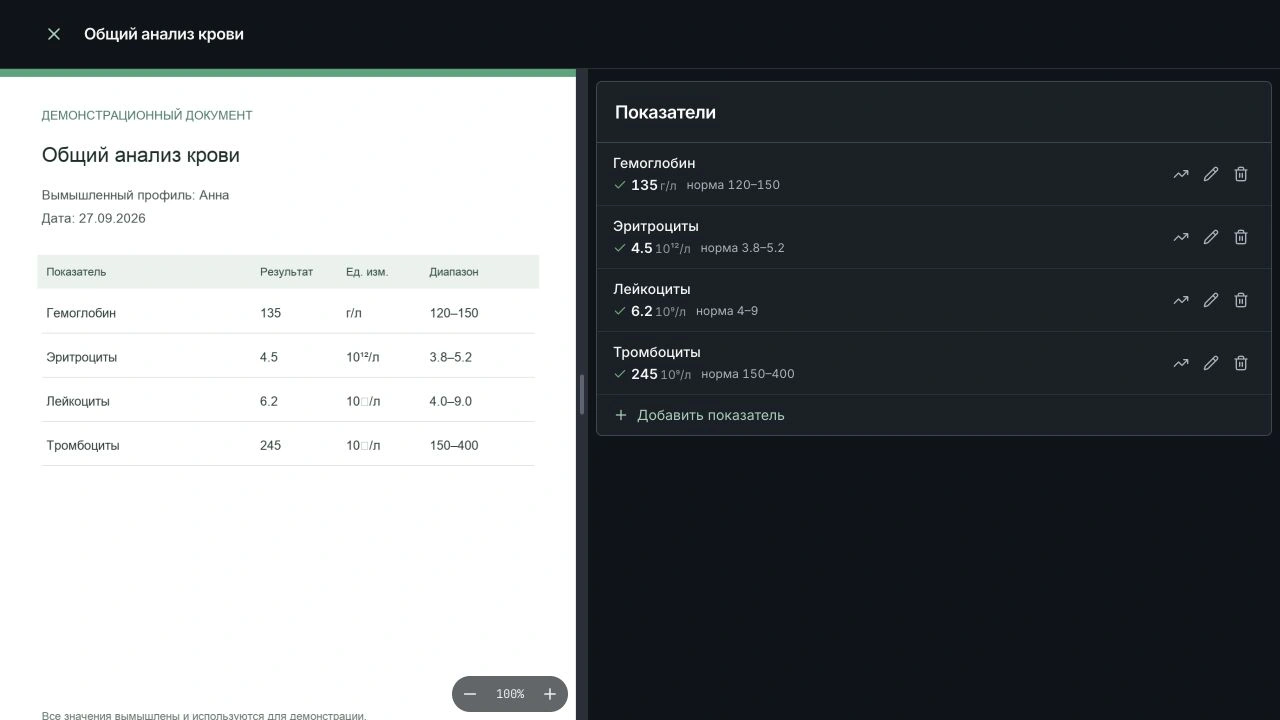
The app keeps the original report and extracts individual measurements: their names, values, units and the reference ranges printed on the document. Results from separate tests can then form a measurement history.
The source stays available for checking. A review screen places the original document beside its structured values. Users can correct a value, unit or reference range while keeping the original file intact.
03
A chat interface for getting things done
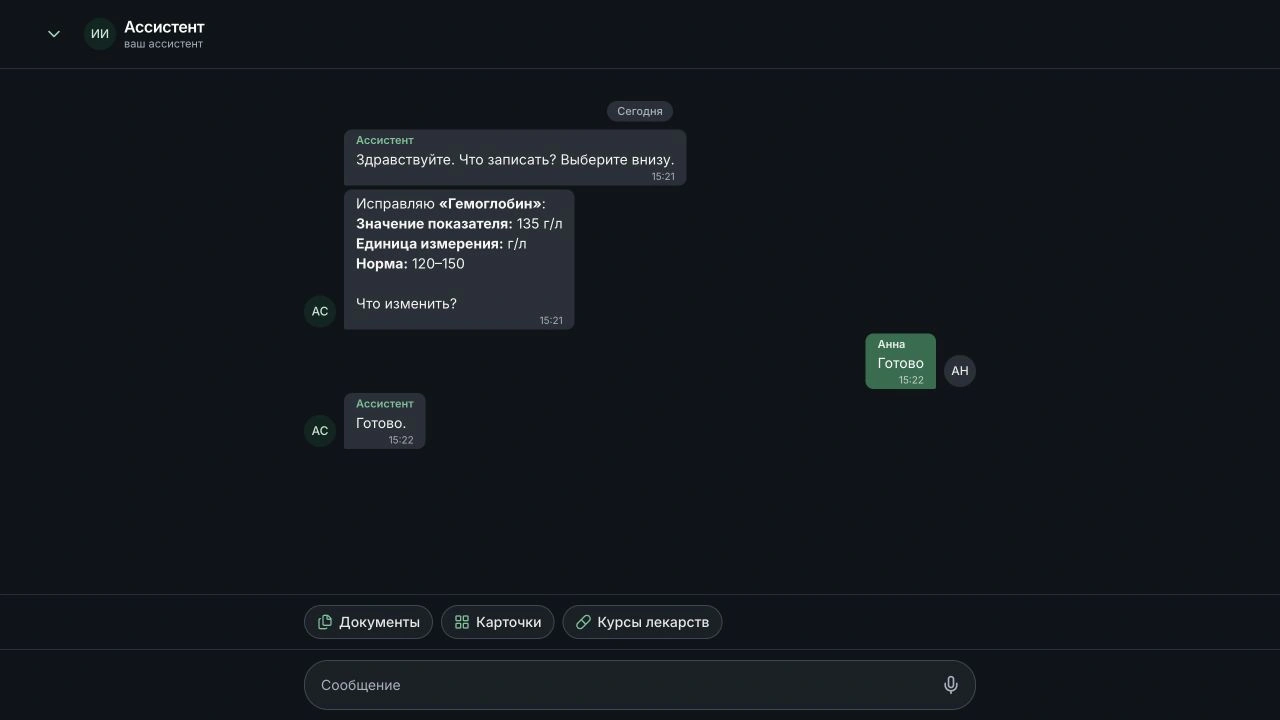
The chat connects to the app's functions. Choosing to edit a measurement opens a conversation where the user can change its value, unit or reference range. The change is saved to the document record.
Uploading follows the same pattern: choose a file, review its pages and confirm. If the document is already in the archive, the app explains this instead of creating another copy.
04
Keeping the source documents available
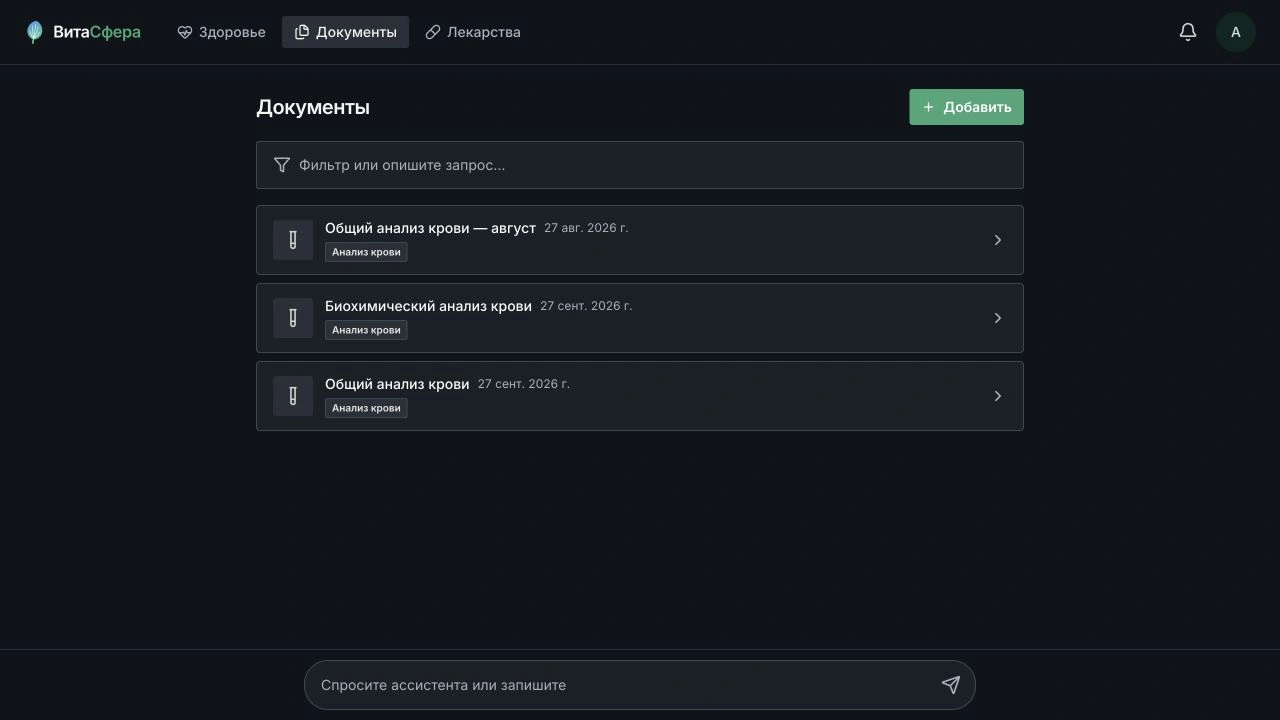
Each document has a type, a date and a detail view containing both the original and its structured results. Users can return to a particular examination and open its source report without searching through photos and messages.
05
Connecting the parts
Uploading a file and sending it to a model is only part of the work. Extracted data needs to belong to the right profile, remain linked to its source, support corrections and appear in the measurement history.
I separated profiles and access control, document storage, measurements and AI processing into backend services. The client uses a shared design system and queues changes for submission when connectivity returns. The mobile client also has a dedicated local file store.
VitaSphere is still being developed. Its current features include the medical archive, measurement journal, charts and guided chat actions for working with records.
06
Technologies
The client uses Vue 3 and Nuxt 4, with Capacitor as its native shell. Backend services run on Bun and Hono. Data and messaging use PostgreSQL, Drizzle ORM, Redis, Kafka and S3-compatible storage. Updates are delivered through Docker Compose and GitLab CI.