
Systems / AI
KOVER
A workspace where AI remembers your project
KOVER is a workspace for people and teams who work on projects with AI. Documents, discussions and decisions stay with the project, and AI uses them in subsequent tasks.
AI · workspace
- My work
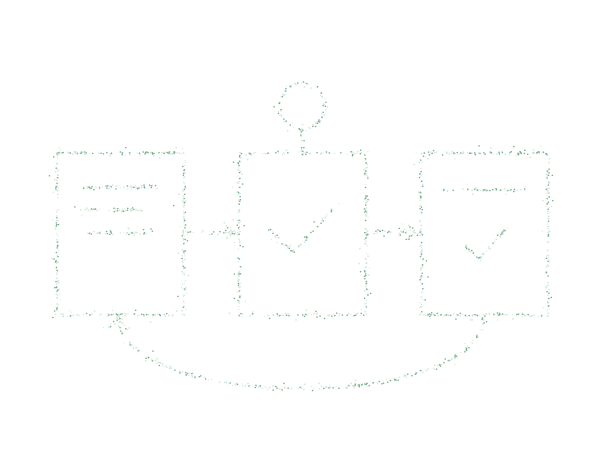
- I implemented repeatable tasks with defined steps and an execution history showing what was done and which materials AI used.
01
Follow a workflow as it runs
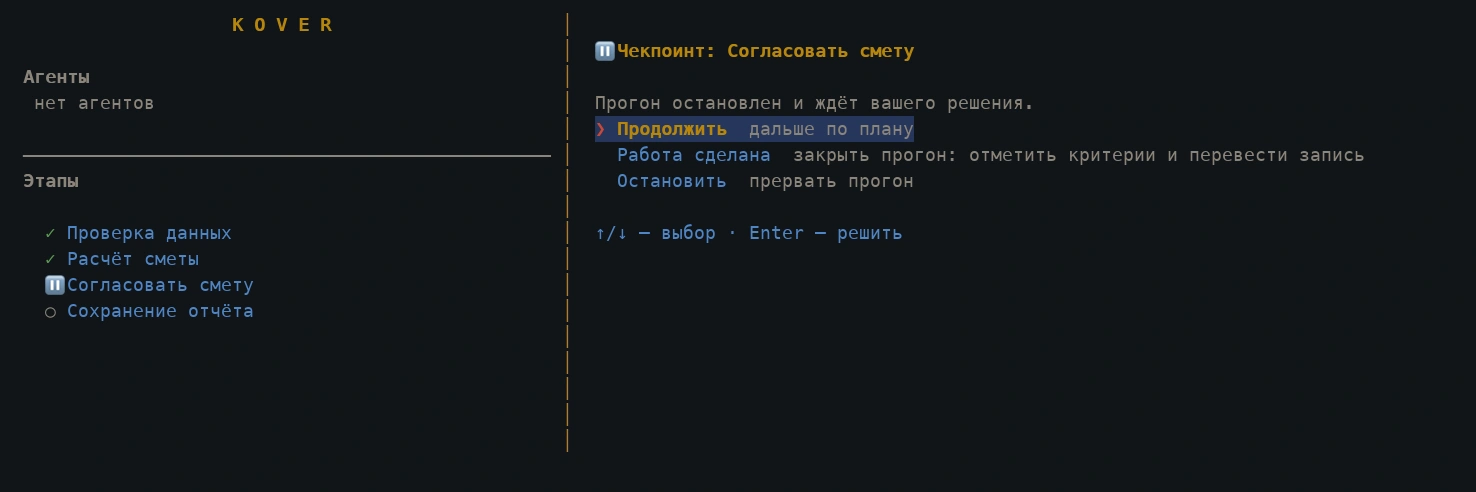
In KOVER, a task can be defined as a sequence of steps: gather data, run a calculation or assign work to AI, check the result and ask for a human decision. The execution screen shows progress and the status of each stage.
In this example, the workflow has checked the source data, calculated the workshop estimate and paused for approval. Saving the report is the next step, pending the user's decision.
Terminal interface · demonstration project: opening a workshop
02
Documents and decisions stay with the project
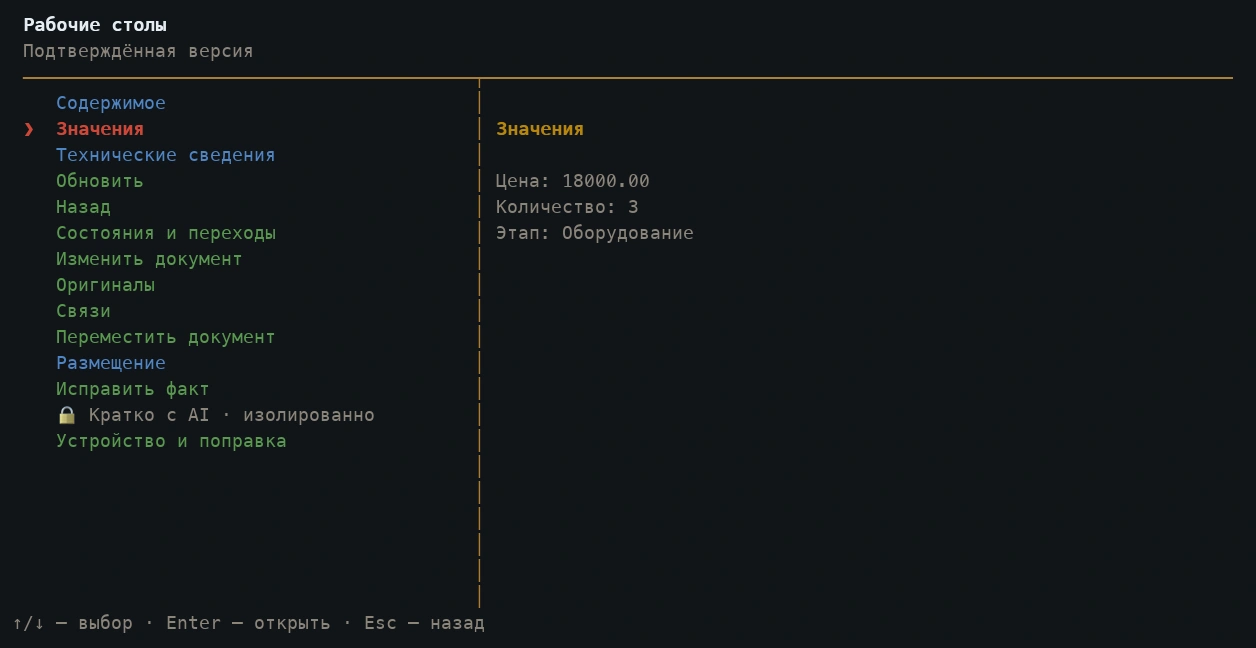
A KOVER project brings documents, discussions and decisions together. Each document has content, fields, relationships and original attachments. Users can return to a confirmed record, inspect its values and prepare a change.
The demonstration project below covers opening a workshop. A workbench record holds its price, quantity and purchasing stage; the estimate uses those same values. The system also retains facts and discussion summaries to provide context for subsequent AI tasks.
03
One set of data, different views
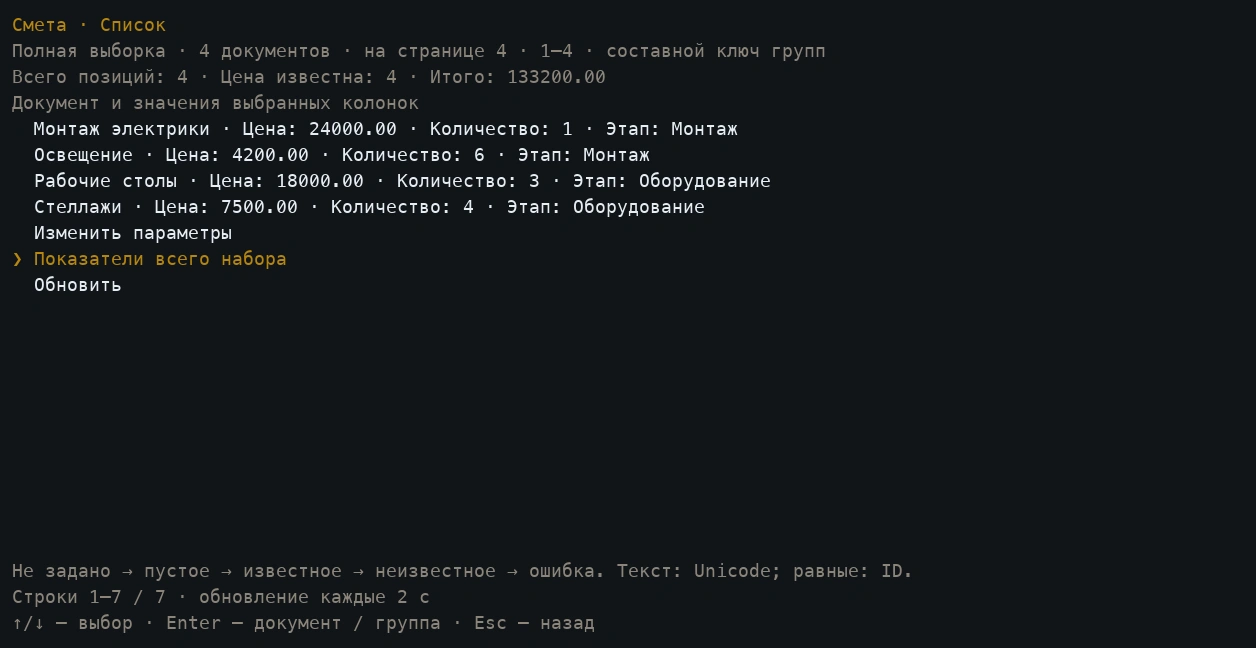
The structure can represent tasks, research, expenses or client work. Saved views collect relevant documents into lists or tables and show the selected fields.
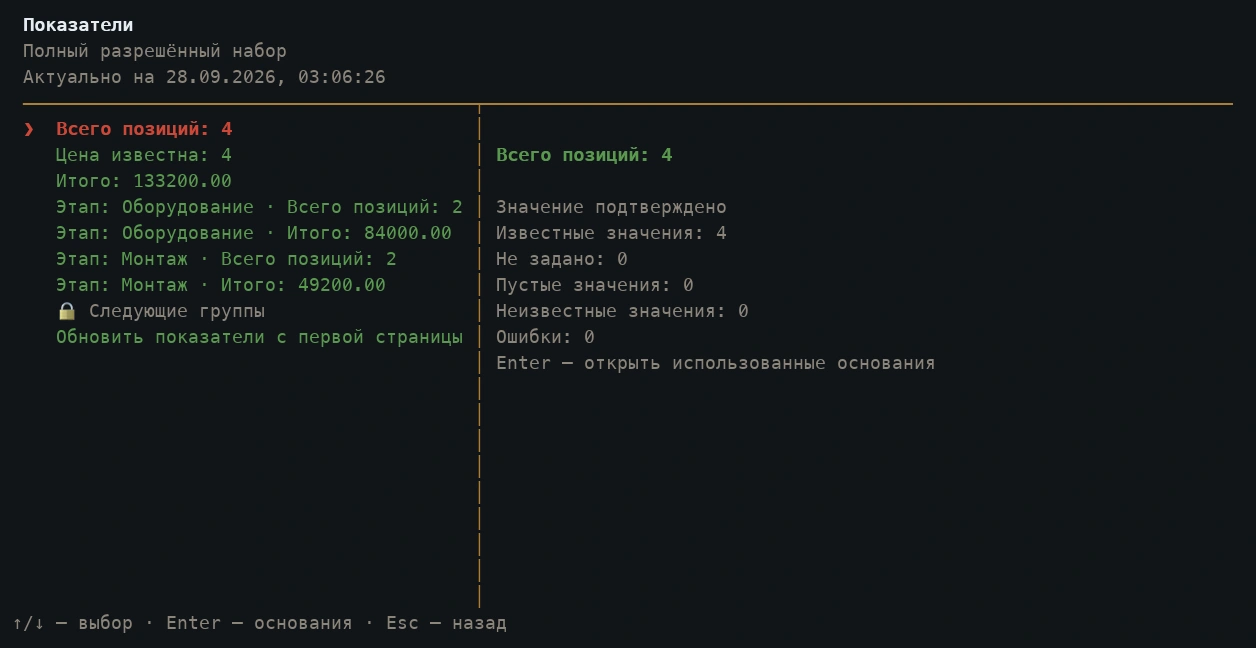
This estimate brings together four items. KOVER calculates costs from prices and quantities, displays the total and groups it by stage. Users can open a source document from the list or inspect the records behind a calculated total.
04
Changes can be checked
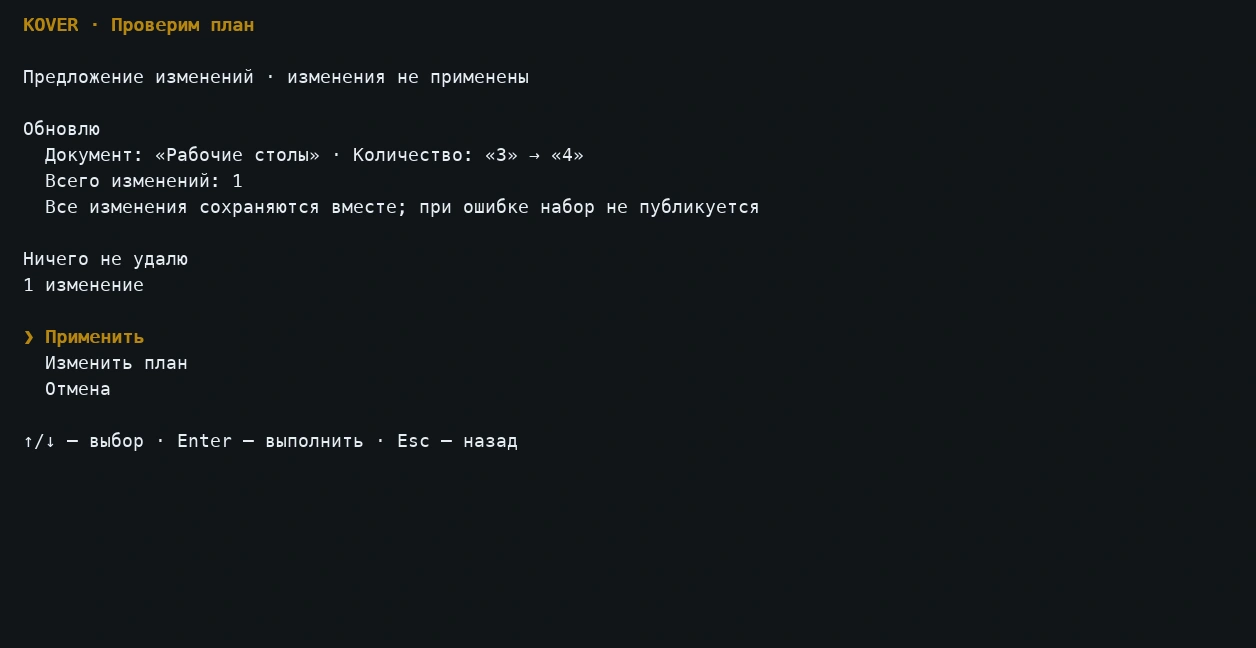
Before saving, KOVER shows a plan of the documents and values that will change. Users can apply, revise or cancel it. A proposal remains separate from confirmed data.
The screen shows a manual edit from three workbenches to four. Both values are visible and the change has not been applied, so it can be checked before it is saved.
05
Technologies
TypeScript and Bun form the core. The terminal interface uses SolidJS and OpenTUI. Local data is stored in SQLite, with Transformers.js and USearch supporting search. ACP and MCP are protocols for connecting agents and tools.